
Hunting Together RPG Hunter Tools
Decision helpers that turn wiki research into a clear next class, build, or farm plan.
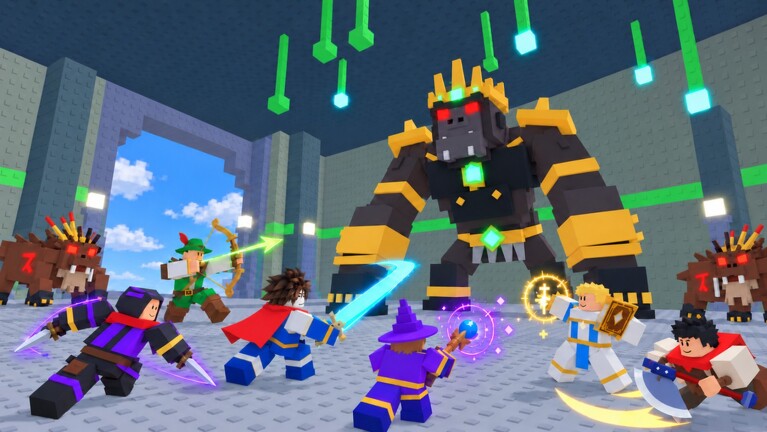
The Tools Hub collects practical decision helpers for Hunting Together RPG. Guides teach systems; tools help you choose. Whether you are creating a character for the first time, unlocking Samurai or Alchemist, or rebuilding stats after a party role swap, start here when you need a recommendation—not a full lore dump.
These pages stay intentionally actionable: checklists, comparison tables, and links into deeper articles on classes, tier rankings, and beginner routes. They do not replace in-game tooltips, but they compress community knowledge into something you can skim before a long auto-combat session.
What you will find here
Class Picker
The flagship helper is the Class Picker. It walks through goals—solo farm, party tank, healer, gold maker, or unlock-path planning for Samurai and Alchemist—then maps those goals onto the eight jobs. Use it before you invest hours into a second or third level 99 for beta prestige, or before you spend Halloween skins on a job you barely play.
Links into ranking and build pages
Tools intentionally deep-link into living meta pages:
- Tier List Hub and Best Classes for current strength callouts.
- Stat Builds for attribute priorities once the job is chosen.
- Getting Started when you still need controls, first-island flow, and HUD basics (auto combat, warp home, gift codes).
Think of the Tools Hub as a router: answer a question quickly, then jump to the long guide that matches your decision.
Who these tools are for
- New hunters overwhelmed by six base classes at character creation.
- Returning players after a patch who want a fast “what should I main now?” answer.
- Party leaders filling a missing tank, healer, or gold battery.
- Completionists planning three level-99 jobs for the Ice Cat without wasting potions on a dead-end order.
- F2P grinders who need a safe solo farmer before they can rely on friends every night.
If you only want patch history, use Updates instead. If you only want redeemable gifts, use Codes. Tools sit between those hubs and the full Guides library.
How we keep recommendations honest
Hunting Together RPG is still in an early live window. Balance can shift when dungeon keys, seasonal spawns, or refining costs change. Our tool pages therefore:
- State the goal before naming a class.
- Call out party versus solo assumptions.
- Mention unlock requirements (level 70 bridges for Samurai and Alchemist) so you do not plan a special job you cannot open yet.
- Link the tier list for meta snapshots instead of pretending one forever ranking lives inside every tool.
When community consensus moves, we update the Class Picker tables first, then adjust cross-links. We will not invent interactive Roblox plugins here—the “interactive” feel comes from markdown checklists you can copy into notes.
Suggested workflow
- Open Class Picker and mark your primary goal.
- Confirm the pick against Best Classes.
- Read the job write-up on Classes.
- Assign attributes with Stat Builds.
- Execute the early route via Getting Started and Leveling.
- If you are chasing prestige, align the plan with Beta Rewards.
Future helpers
As the wiki grows, this hub can host more lightweight utilities: party composition checklists, potion timing planners, or refine risk notes. Each new tool will stay under /tools/ with trailing-slash links and will point back here. We prioritize helpers that remove decision friction over calculators that need constant API feeds.
Quick links
Bookmark this Tools Hub if you reroll often or help friends pick jobs in voice chat. A two-minute checklist here saves a two-hour regret farm on the wrong island.
Frequently Asked Questions
Quick answers for Hunting Together RPG hunters.
What is the difference between Tools and Guides?
Tools help you choose (class, role, next investment). Guides teach how systems work step by step. Use tools first when undecided, then open the matching guide.
Which tool should I open first?
Start with the Class Picker unless you already know your job—then jump straight to Stat Builds or the tier list.
Do these tools work on mobile?
Yes. Pages are static wiki articles with tables and checklists you can follow on phone or PC while the Roblox client is open.
Will you add damage calculators?
Only if we can keep them accurate without fragile APIs. For now we prioritize class decisions and links into verified build pages.