
Hunting Together RPG Official & Community Links
Play the game, find the group, and reach trusted wiki hubs without fake invite URLs.
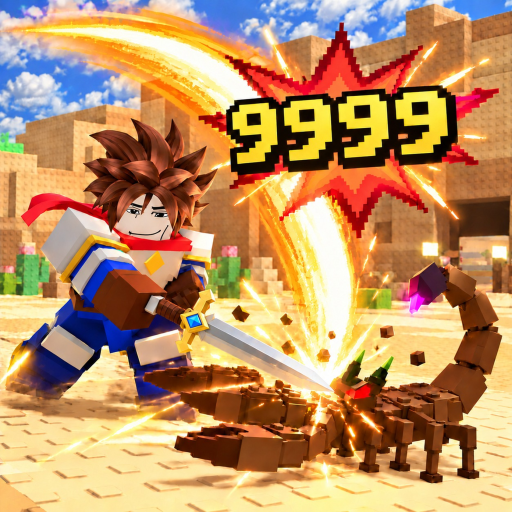
This Links Hub gathers the official play link and practical community pointers for Hunting Together RPG (also listed with Dungeon branding on Roblox). Fan wikis often scatter Discord invites that rot within weeks. We keep this page honest: one canonical game URL, clear instructions for finding Social Links on Roblox, and routes back into our maintained Codes, Updates, and Guides hubs.
Official game link
Play here: Hunting Together RPG on Roblox.
That place page is the source of truth for the live build, server lists, and the Social Links panel. Favoriting the experience helps you return after updates, and the creator line points to RonB Games. When friends search for “[DUNGEON] Hunting Together RPG,” they are usually looking for this same place after the dungeon-fantasy branding pass.
Quick facts from the live page
- Developer / group: RonB Games
- Genre feel: action RPG / monster-hunting MMO loop on sky islands
- Platforms: Roblox on PC, mobile, and tablet
- Monetization: free to play with optional Robux purchases
Always launch from the official link above rather than third-party “private server” ads pasted in random chats.
RonB Games group
Join the RonB Games Roblox group from the game’s creator or group links on the place page. Group membership is the durable way to see studio shout-outs, icons, and event teases without relying on a single Discord invite string. Community tips consistently tell new hunters to join the group early so they do not miss apology codes or seasonal announcements mirrored into the Roblox description.
We intentionally do not hardcode a fragile group deep link that might change. Open the official game page, tap the creator / group affiliation, and join from Roblox’s own UI.
Discord and other Social Links (no invented URLs)
If RonB Games publishes Discord, YouTube, or other community channels, they appear in the Social Links panel on the Roblox experience page. Check that panel in the Roblox client or on the web place page. Do not trust random invite codes in private messages, especially ones that ask you to download “FPS unlockers” or paste scripts before you can enter a server.
This wiki will not invent Discord URLs. When the Social Links panel lists a channel, use it. When it does not, rely on the group wall and the in-game gift description for news, then cross-read our Updates Hub.
Safe community habits
- Prefer Roblox-native Social Links over screenshots of invites.
- Never share account passwords, backup codes, or email codes with “giveaway staff.”
- Treat script loaders as ToS-risk tools; if you research them, do it knowing bans are possible—our scripts pages (when present) include warnings.
- Verify promo codes in-game via the gift icon and against the Codes Hub, not from edited images.
- When someone claims a secret Ice Cat shortcut, reread Beta Rewards—the real path is leveling, not a shady link.
Wiki hubs worth bookmarking
Use this Links Hub as a springboard into structured wiki content:
| Need | Open |
|---|---|
| Working gifts | Codes |
| Patch and event timeline | Updates |
| How-to systems | Guides |
| Job decisions | Class Picker |
| Rankings | Tier List |
| About this site | About this wiki |
English pages use trailing-slash paths like /guides/getting-started/ so language switching stays consistent.
Why we separate Links from Guides
Guides explain mechanics. Links answer “where is the official place?” and “how do I find the real Discord?” Mixing those intents creates outdated button farms. By keeping the Links Hub lean, we can update one official URL and one set of Social Links instructions whenever Roblox UI labels change—without rewriting a 2,000-word leveling guide.
Reporting broken links
If the official place URL moves, Roblox usually redirects, but thumbnails and friend invites can lag. When something 404s:
- Search Hunting Together RPG or the Dungeon-branded title inside Roblox.
- Confirm the creator is still RonB Games.
- Prefer the universe that matches the gameplay loop (sky islands, jobs, party hunting).
- Ping the wiki maintainers via whatever contact the site footer lists so we can patch this page.
Related reading after you join
- Redeem anything live on Codes.
- Skim Updates for Halloween and beta milestone context.
- Start playing with Getting Started.
- Pick a job using the Class Picker if you are undecided.
Stay on official Roblox surfaces for invites, keep this hub bookmarked for the play button, and let the rest of the wiki handle deep strategy.
Frequently Asked Questions
Quick answers for Hunting Together RPG hunters.
What is the official game link?
Use Hunting Together RPG on Roblox at the place URL listed in this hub’s Official game link section—the same experience published by RonB Games.
Where is the Discord invite?
Open the Roblox game page and check the Social Links panel. This wiki does not invent Discord URLs that can go stale or turn malicious.
Should I join the RonB Games group?
Yes. Joining the creator group is the most reliable way to see studio posts and event signals tied to the official experience.
Is this Links Hub official?
No. This is a fan-made wiki page that points to official Roblox destinations and our own codes, updates, and guides hubs.
Where do I go after clicking Play?
Redeem codes, read the latest updates, then follow Getting Started and the Class Picker so your first hours are structured.